








โซลูชัน
ผลิตภัณฑ์
อุตสาหกรรม
แหล่งข้อมูล
โซลูชัน
ผลิตภัณฑ์
อุตสาหกรรม
แหล่งข้อมูล
แหล่งข้อมูล
Sign in
Google Pics is currently rolling out. Check back if you don't yet have access, and visit the Help Center to view eligible plans.
Learn more
Google Pics

Boundless AI image generation meets precision editing

Create anything you can imagine with the AI imaging tool built into Google Workspace.

Uplevel every project with stunning, custom visuals

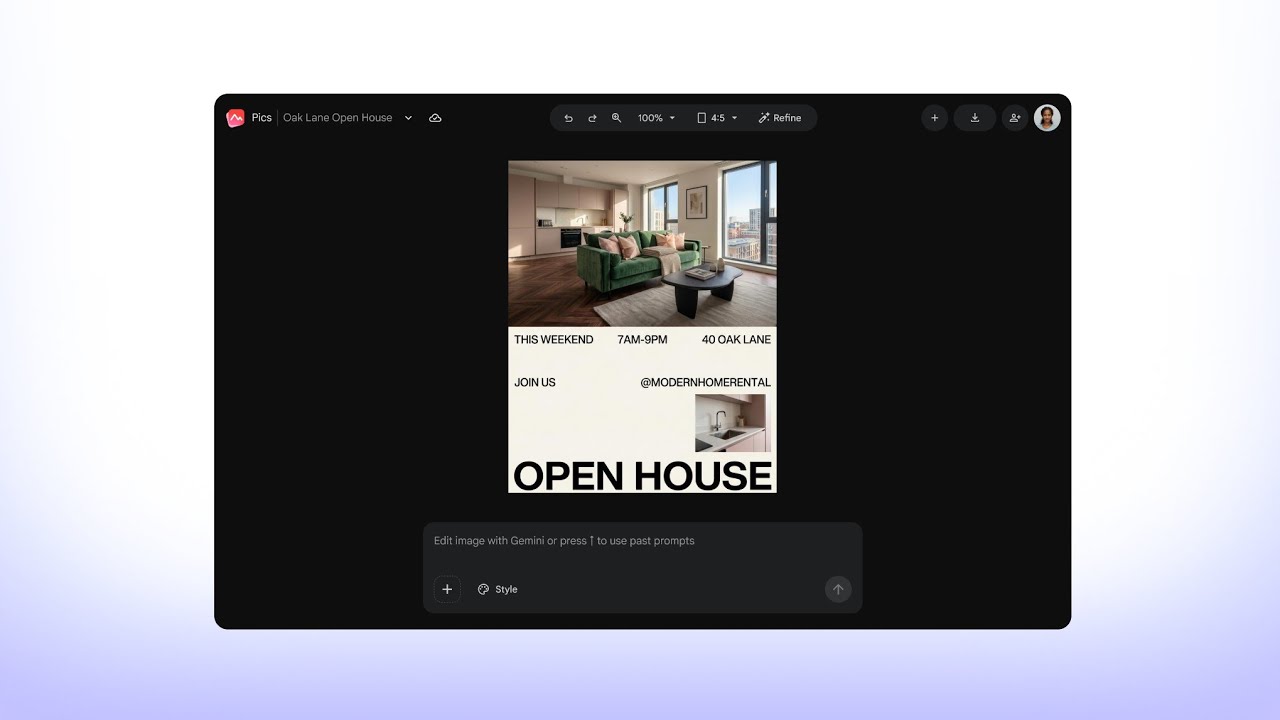
Transforming a dimly lit apartment photo into a fully designed, professional flyer with optimized lighting plus customizable text and image editing functions.
Design and layout
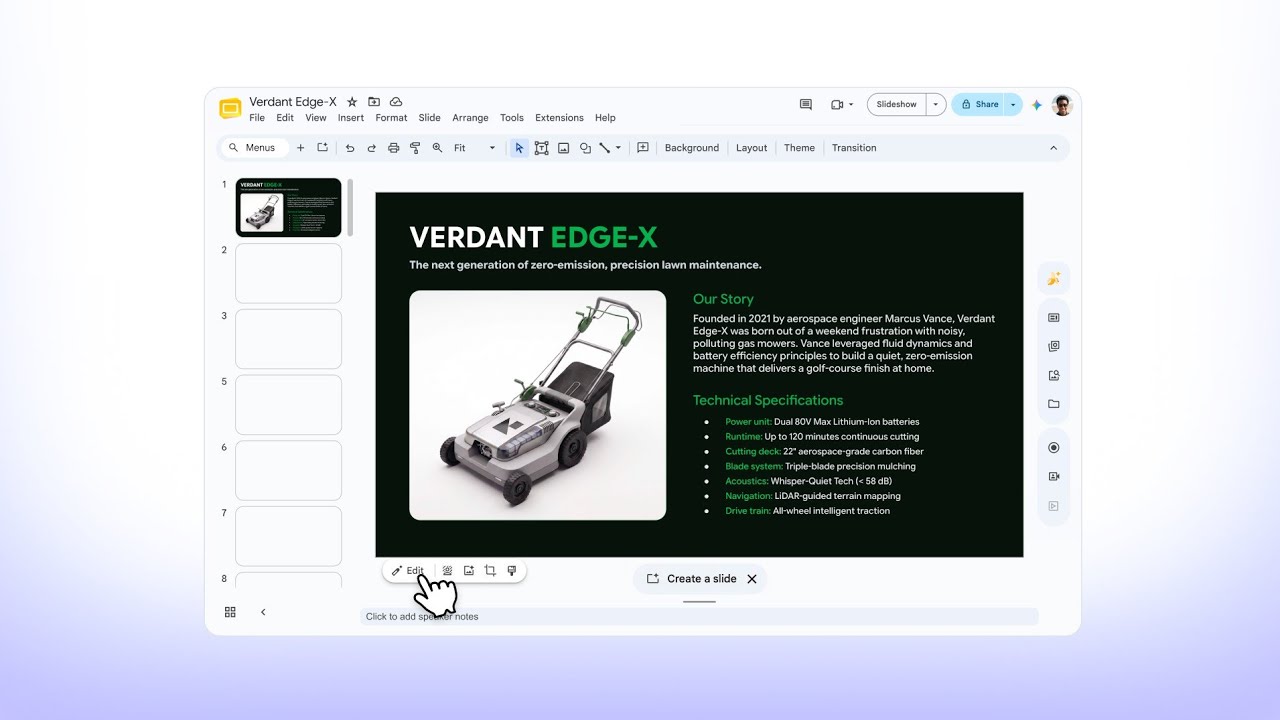
Staging a flat, background-free lawnmower product image into a warm, realistic outdoor setting directly in Google Slides, with precise adjustments to match the lifestyle context.
Product storytelling
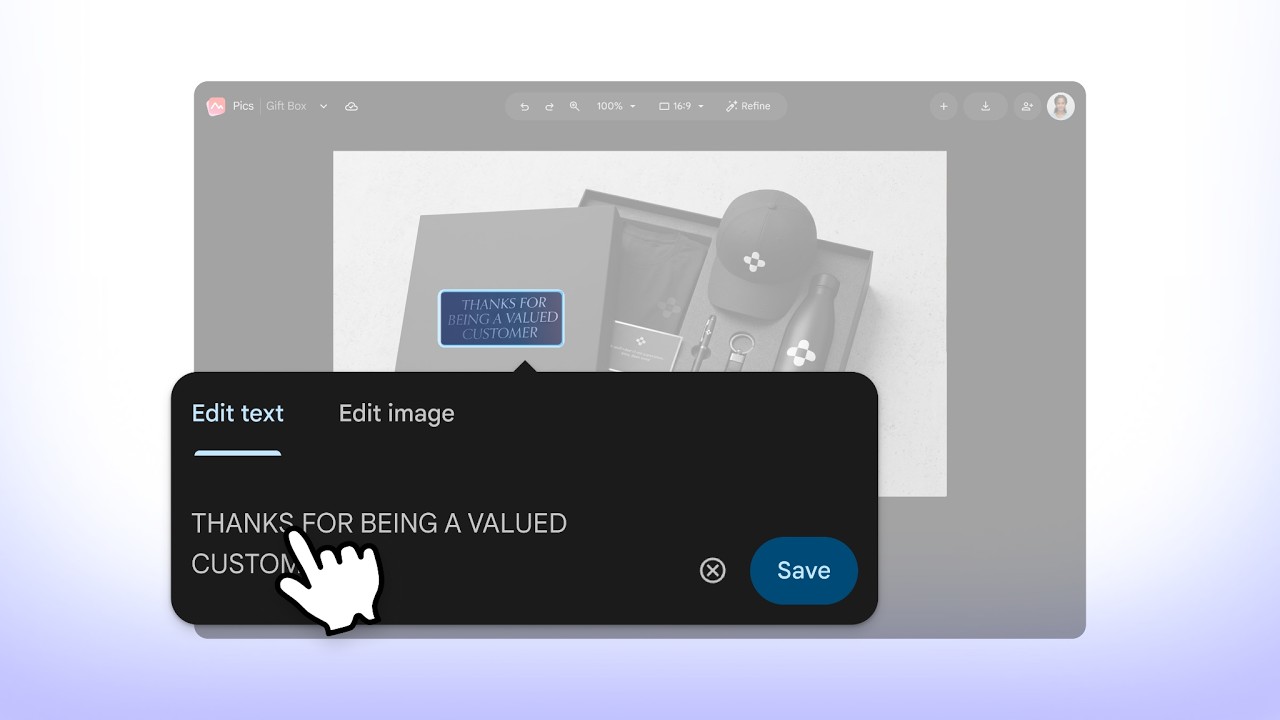
Generating a prototype of a corporate gifting box by uploading a brand logo, using precise object-based editing, and upscaling to 4K resolution for final integration into a Google Docs creative brief.
Visualization
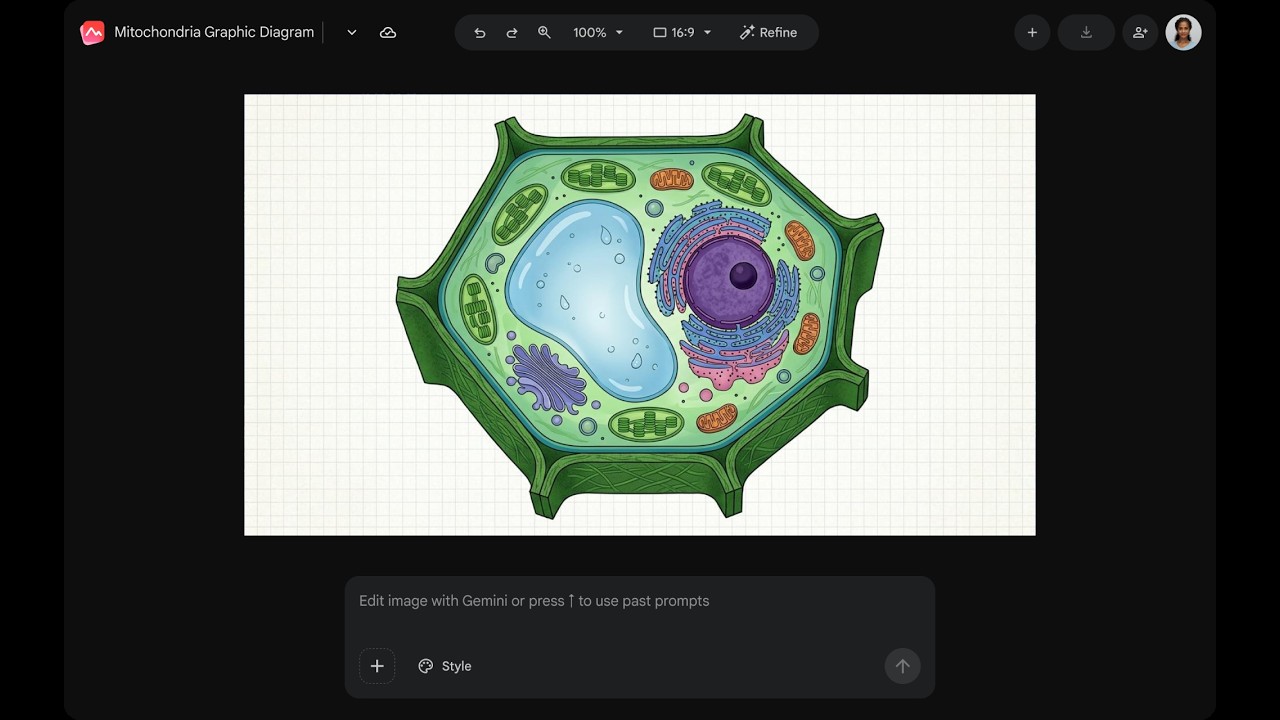
Demonstrating real-time collaboration by adjusting image dimensions and key elements before inviting a teammate to edit the shared canvas.
Instructional content
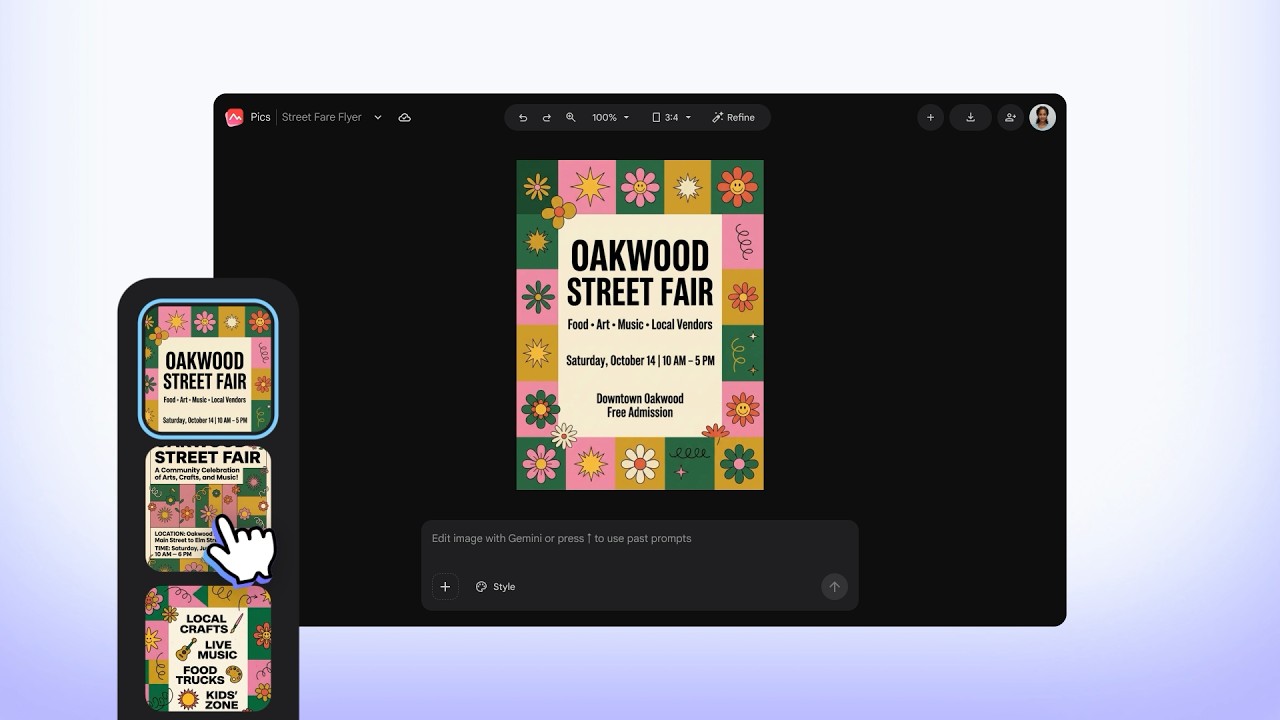
Creating a custom event flyer from a text prompt, exploring AI-generated design variations with object-level understanding, and utilizing batch editing to finalize key text details.
Communication

รูปภาพสวยสะดุดตาด้วย Nano Banana

ไปให้สุดเท่าที่จะจินตนาการได้ใน Google Pics สร้างรูปภาพสำหรับทุกโปรเจ็กต์ให้ตรงกับสไตล์ที่คุณต้องการโดยใช้โมเดลการสร้างรูปภาพด้วย AI ที่ล้ำสมัยที่สุดของ Google

อินเทอร์เฟซสมมติแสดงให้เห็นเครื่องมือ AI ที่สร้างโปสเตอร์ "The Matcha Club" สุดเก๋จากข้อความพรอมต์ เลย์เอาต์ประกอบด้วยโปสเตอร์ที่เสร็จแล้ว แถบพรอมต์ ตัวควบคุมสไตล์ และตัวบ่งชี้สถานะ "กำลังสร้างรูปภาพ…"
อินเทอร์เฟซดิจิทัลแสดงการแก้ไขรูปภาพที่ทำงานด้วยระบบ AI ซึ่งแยกเก้าอี้เท้าแขนสีเหลืองมัสตาร์ดออกจากฉากห้องนั่งเล่น โดยมีเมนูแบบลอยที่เสนอตัวเลือกการย้าย การนำออก และการแก้ไข พร้อมด้วยกรอบล้อมรอบที่มีป้ายกำกับรอบเก้าอี้ที่เลือก

บอกลาการลุ้นผลลัพธ์จากพรอมต์ไปได้เลย

เรามีการควบคุมที่มีประสิทธิภาพในการย้าย ปรับขนาด และเปลี่ยนรูปแบบออบเจ็กต์แต่ละรายการ รวมทั้งแก้ไขและแปลข้อความ หรืออัปเดตบางตำแหน่งของรูปภาพ เรียกได้ว่าเป็นการตัดต่อแบบแม่นยำที่ทำได้ง่ายๆ

Built into the Workspace apps you use every day

Engaging presentations

Take your presentations to the next level with AI-powered image editing in Google Slides.

A Google Slides interface displays a slide for a “Collage Art Workshop” featuring a classical statue graphic. Overlaid on the image is a Google Pics editing prompt bar with options including “Edit this image with Gemini” and style customization tools.

Expressive documents

Communicate your ideas clearly with rich infographics and illustrations in Google Docs.

A Google Docs document containing a pie chart infographic titled “The Global Clean Energy Mix.” A cursor hovers over an “Edit chart” button on the image, accompanied by a Google Pics editing toolbar with options to edit text, edit image, and save.

Centralized and accessible

Manage all your Pics files in Google Drive, where you can easily create, edit, save, and open any existing image.

A Google Drive interface shows the “+ New” creation menu with “Google Pics” selected. In the background, an image preview of a furnished living room includes a top header button labeled “Edit with Google Pics”.
A Google Slides interface displays a slide for a “Collage Art Workshop” featuring a classical statue graphic. Overlaid on the image is a Google Pics editing prompt bar with options including “Edit this image with Gemini” and style customization tools.

หากมีข้อสงสัยเกี่ยวกับ Google Pics

ทุกสิ่งที่คุณจำเป็นต้องทราบเพื่อเริ่มต้นใช้งานมีดังนี้

  • Pics is generally available for Workspace customers with Business Standard and higher plans, as well as Google AI Pro & Ultra subscribers. See if you have access or upgrade for personal use or work.

  • You can access Google Pics on the web as a standalone app or through integrations on Google Drive, Slides, and Docs. Your image creations are automatically and seamlessly synced across all these platforms.

  • Yes, Pics has the same sharing functionality as other Workspace products. After you generate an image, you can share its link with your teammates or friends, and they can make edits and save the image.

  • Pics can do both. You can get started by writing a text prompt to generate entirely new images from scratch, or you can upload your own existing images from Google Drive, Photos, and your computer to edit, refine, or add new elements to it.

  • While both tools handle visuals, they serve distinct purposes. Google Pics is a creative tool integrated within Workspace, designed to help you generate and edit images for projects at work, home, and school. Google Photos is the home for your personal memories, providing a way to back up, organize, search, and edit your photos and videos.

  • ไอคอน Google Pics

    Create and edit images with Google Pics